The Problem
Working with LLM coding agents properly means a lot of sessions: one per feature, one per repository, a fresh one when the context gets long, a background agent running a migration. After a couple of weeks across a dozen repositories the obvious questions get hard to answer. Which repo has something running right now? When did I last touch that one? What was that session actually about, and which one should I pick back up?
The agents' own command-line tools list sessions, but only for one directory at a time and with very little context. So I built a board. It runs locally, has no third-party dependencies at all, and is now the first tab I open in the morning. Every screenshot here is from its built-in demo store, where every repository, session and note is invented.
Feature Tour
A timeline that shows the shape of your work
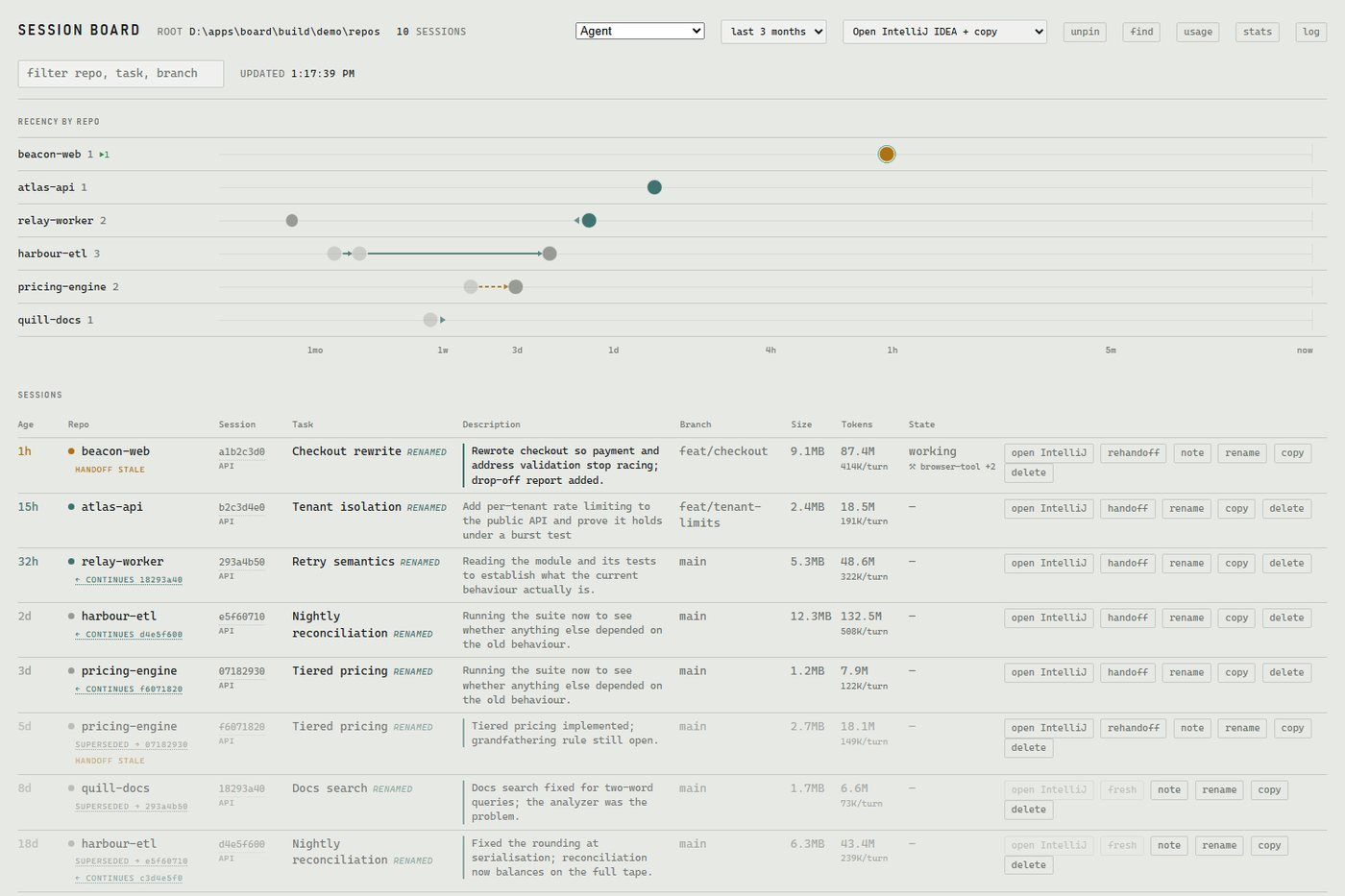
Each repository gets a lane and sessions are plotted on a logarithmic time axis with now at the right edge, so a session from three minutes ago and one from last month both fit on screen. Colour shows recency and size shows how big the session has grown, so runaway sessions stand out. The result shows something a list cannot: four sessions clustered three days ago in one repo, one hot session right now in another.
A session table with real descriptions
Each row shows how long since the last real activity, the repository, the task name, a meaningful description, the git branch, size, usage and live state, including which tools the session reached for.
Find across everything
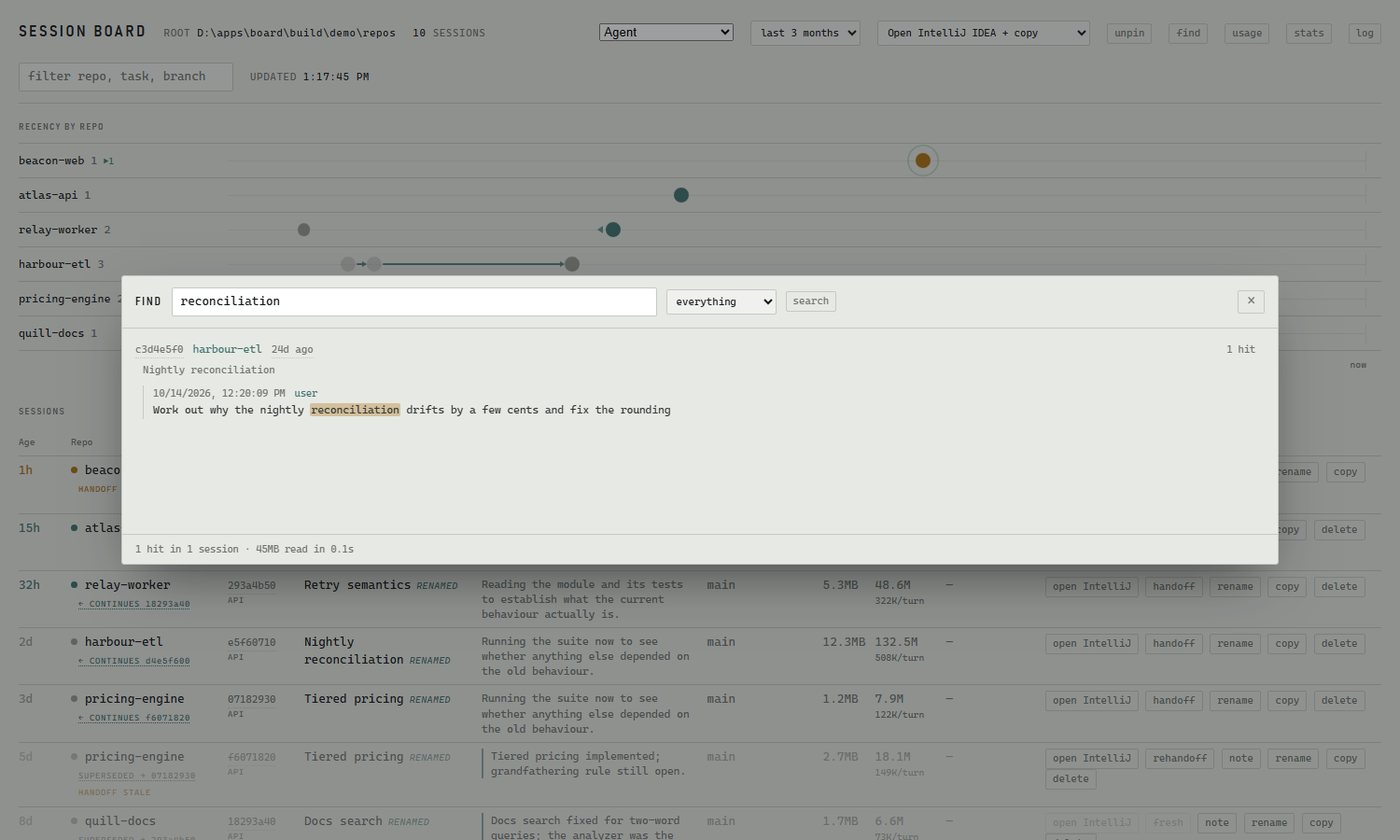
Press / and search every transcript: your prompts, the replies, tool calls and their output. It is fast enough to feel instant on tens of megabytes of history.
Handoffs and Lineage
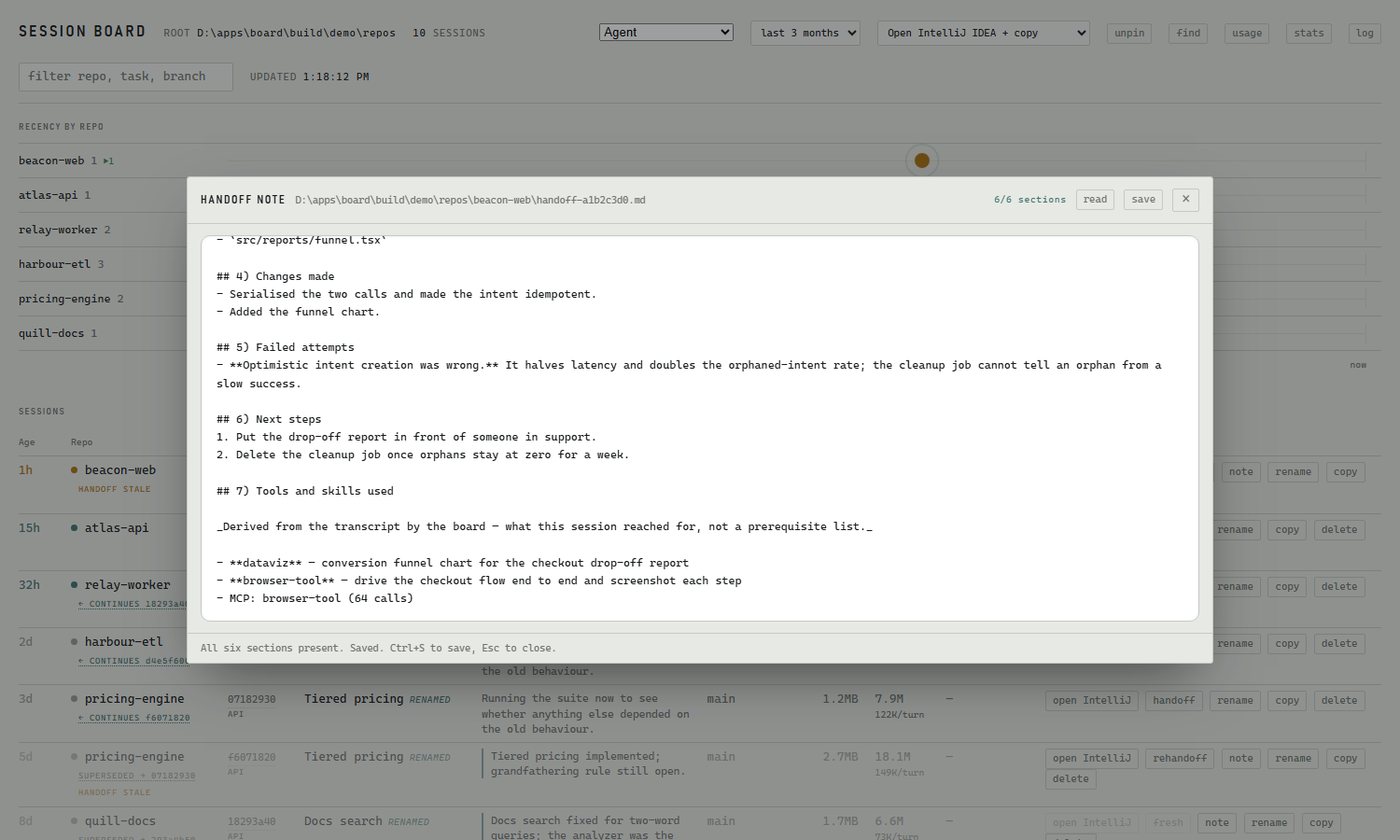
Long sessions degrade. The fix is to hand off: write a structured note and start a fresh session from it. The board automates both halves, without touching the original session, and checks the note is complete before saving it. It also records which tools the session actually used, taken from the transcript rather than from the model's own account.
Lineage is drawn on the timeline like a git graph, and the board warns when a session kept being worked on after its handoff note was written, so you know the note may be out of date before you rely on it.
Usage, Honestly
The usage view breaks activity down by day, week or month and by repository. It is built around a few rules I would apply to any usage report:
- Never show a percentage without a real denominator. The board can see this machine's sessions but not the plan's actual limits, so it shows consumption and trend, never "72% used".
- Unknown is not zero. A figure that cannot be computed is shown as missing, and a total that includes unknowns says so.
- Label estimates as estimates, and never add up figures that are measured in different units.
- Separate scales for separate things, so a small but important number is not flattened by a huge one.
How It Works
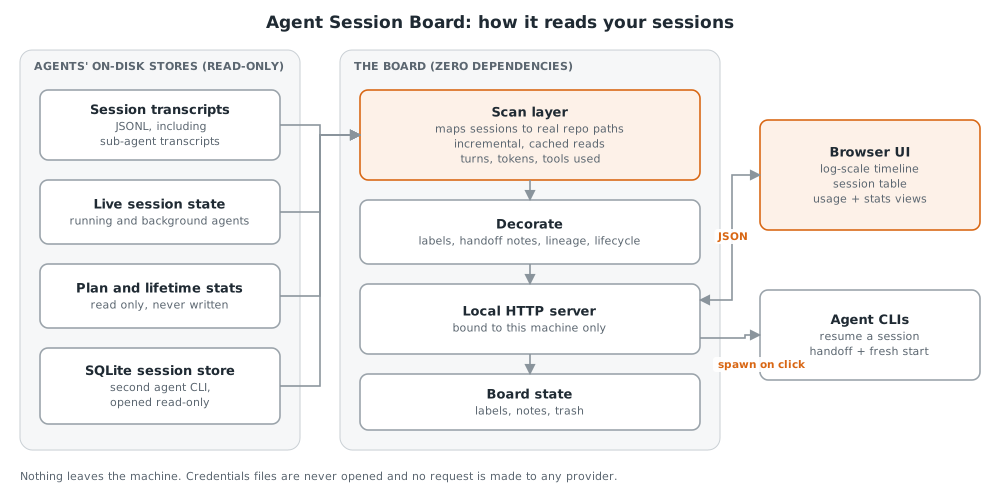
- Read-only and local. It reads the agents' own files and databases strictly read-only, so it can never interfere with a running agent. Credentials are never opened and nothing is sent anywhere.
- Fast without a database. Reads are incremental and cached, so refreshing every few seconds costs almost nothing even with hundreds of megabytes of history.
- Zero dependencies, on purpose. Nothing to install, nothing to keep patched, and it packages as a single executable that can start at logon.
Lessons Learnt
- A file's modified time is not its age. Agents touch files for housekeeping, which made week-old sessions look current. Age now comes from the last real activity.
- Never guess when you can look. The agents' folder naming is ambiguous, so rather than decode it the board checks against the real directories on disk.
- Different providers count differently. Usage figures that look comparable often are not, and adding them together silently double-counts.
- Don't merge what doesn't belong together. Two agents working in the same repository share a folder and nothing else, so the board shows one agent at a time.
If you are running coding agents at any scale and want a copy, reach out.